Address Book – module overview
The Address Book is the central place for your business partners – suppliers and customers from Slovakia, the Czech Republic and abroad. Companies and individuals, their addresses, contact persons and bank accounts are kept in one place. Incoming Invoices, Outgoing Invoices, Orders, Contracts and Mail take the partner from the address book – select the partner and the document picks up the company ID, address and bank account.
Why keep the address book tidy
When a partner is in the address book once and correctly, you do not retype data on every invoice, there are fewer mistakes in company or VAT IDs, and all documents are linked to the partner. The partner detail then shows the whole relationship – incoming and outgoing invoices, contracts, orders and mail.
What the module offers
- Company list – search by name, company ID, tax ID or VAT ID, sorting by columns and a filter to show removed partners.
- Adding a partner – three types: legal entity, sole trader and individual. Slovak and Czech companies can be found in the register by name or company ID and the data is filled in automatically (FinStat, for Czech companies also ARES). The partner's risks are shown too, e.g. debts, bankruptcy or listing among VAT payers with grounds for deregistration.
- VAT ID check in VIES – one click confirms whether an EU partner's VAT ID is valid (important for reverse-charge invoicing).
- Foreign partners – for partners outside Slovakia and the Czech Republic (e.g. Austria, Poland, USA) the company ID is not mandatory; enter the registration number of their country if they have one.
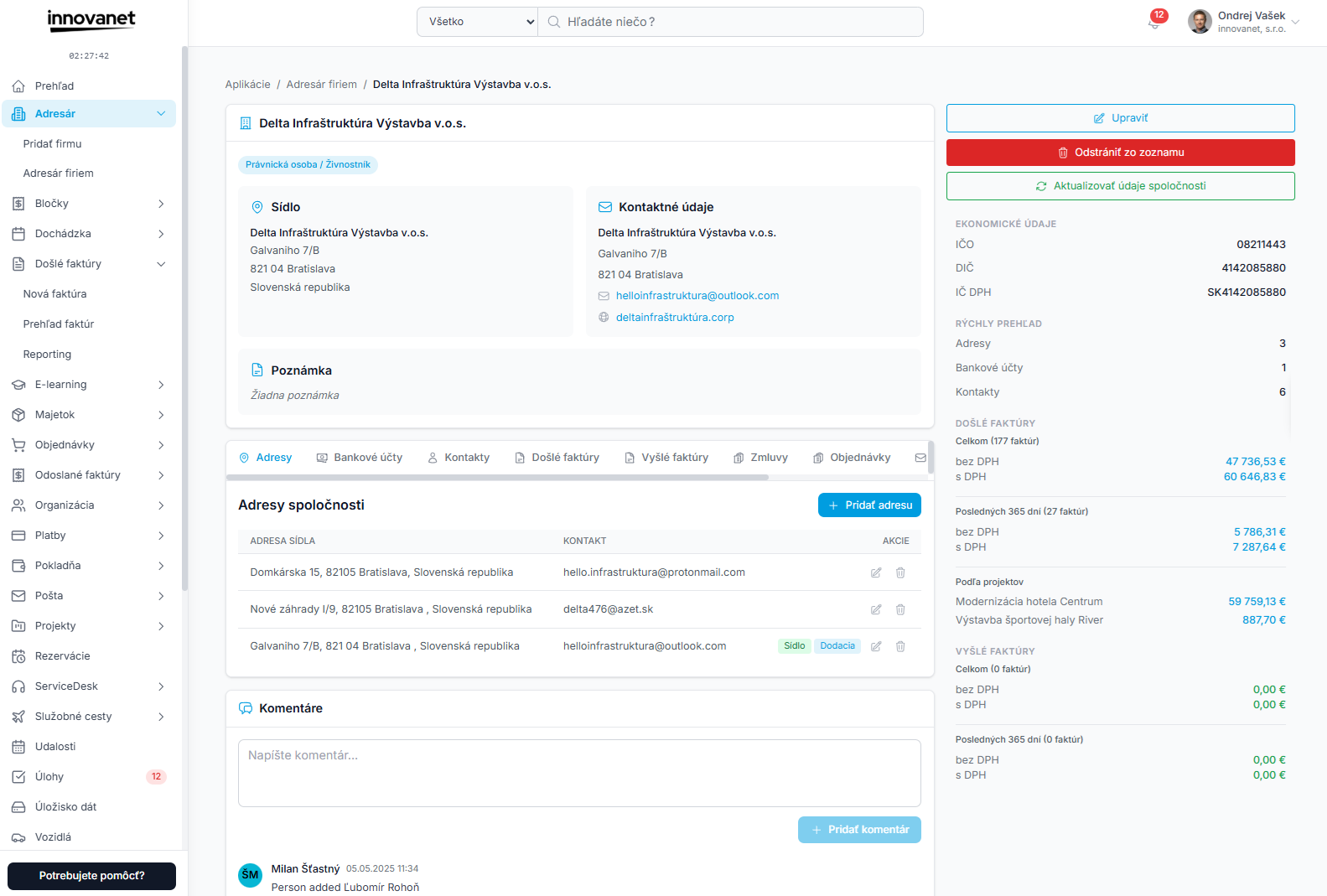
- Partner detail – tabs Addresses, Bank Accounts, Contacts, Incoming Invoices, Outgoing Invoices, Contracts, Orders and Mail, with comments below.
- Editing a partner – change data and reload it from the register.
- Removal and restore – a removed partner is hidden from the list and from partner selection in documents, but their documents stay. You can restore the partner at any time.
Access
In the side menu choose Address Book. The submenu contains Add Partner and Address Book. If you do not see the module, ask your administrator whether your company has the Address Book licence.
Pages in this section
- Company list – search, filters, actions
- Adding a partner – new partner, register search, foreign partners
- Partner detail – tabs, linked documents, comments
- Editing a partner – changing data, register reload, VIES
- Partner addresses – registered and delivery addresses
- Partner contacts – contact persons
- Partner bank accounts – IBAN, BIC, default account
- Removal and restore – hiding and restoring a partner
Interested in trying this feature? Activate innovanet with a free trial →