Company list
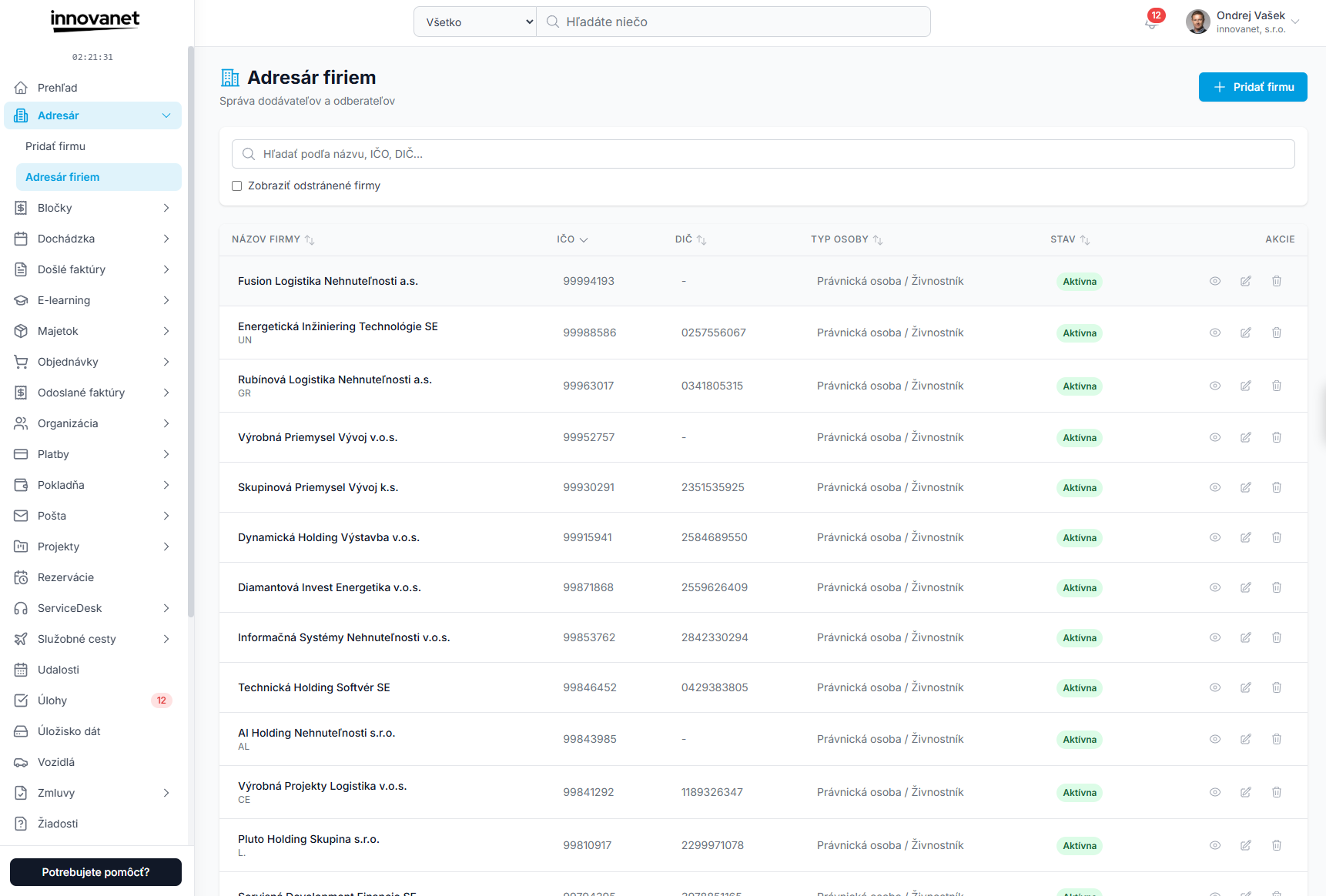
The Address Book page shows all your business partners in one place. The header contains the title "Address Book", the subtitle "Manage suppliers and customers" and the Add Partner button.
Search and filters
- Search field – searches the company name, company ID, tax ID and VAT ID. The list updates shortly after you stop typing.
- Show removed companies – when ticked, removed partners appear in the table with the label Removed.
Table
| Column | Description |
|---|---|
| Company name | Business name, with the company code below (if filled in). |
| Company ID | Company ID; for foreign partners the registration number of their country. |
| Tax ID | Tax identification number (hidden on smaller screens). |
| Person type | Legal entity / Sole trader / Individual (shown on wide screens). |
| Status | Active or Inactive. |
| Actions | View, Edit, Delete. |
Click a row to open the partner detail. Click a column name to sort ascending or descending.
Pagination
Below the table you see the range (e.g. "Showing 1 to 20 of 45 results") and buttons for the previous and next page.
Actions in the list
- Add Partner – opens the new partner form; after saving, the partner detail opens.
- View (eye icon) – partner detail.
- Edit (pencil icon) – partner edit page.
- Delete (bin icon) – opens a confirmation. If the partner has documents (incoming and outgoing invoices, orders, contracts, mail), you see their counts. Removing a partner only hides it – documents stay unchanged. See Removal and restore.
Interested in trying this feature? Activate innovanet with a free trial →